




How to review a place in Georgia on Madloba
A review helps other people choose a place and tells the owner what to fix. It takes a couple of minutes. Below are 7 steps with phone screenshots: the red numbers on the screenshots match the step numbers.
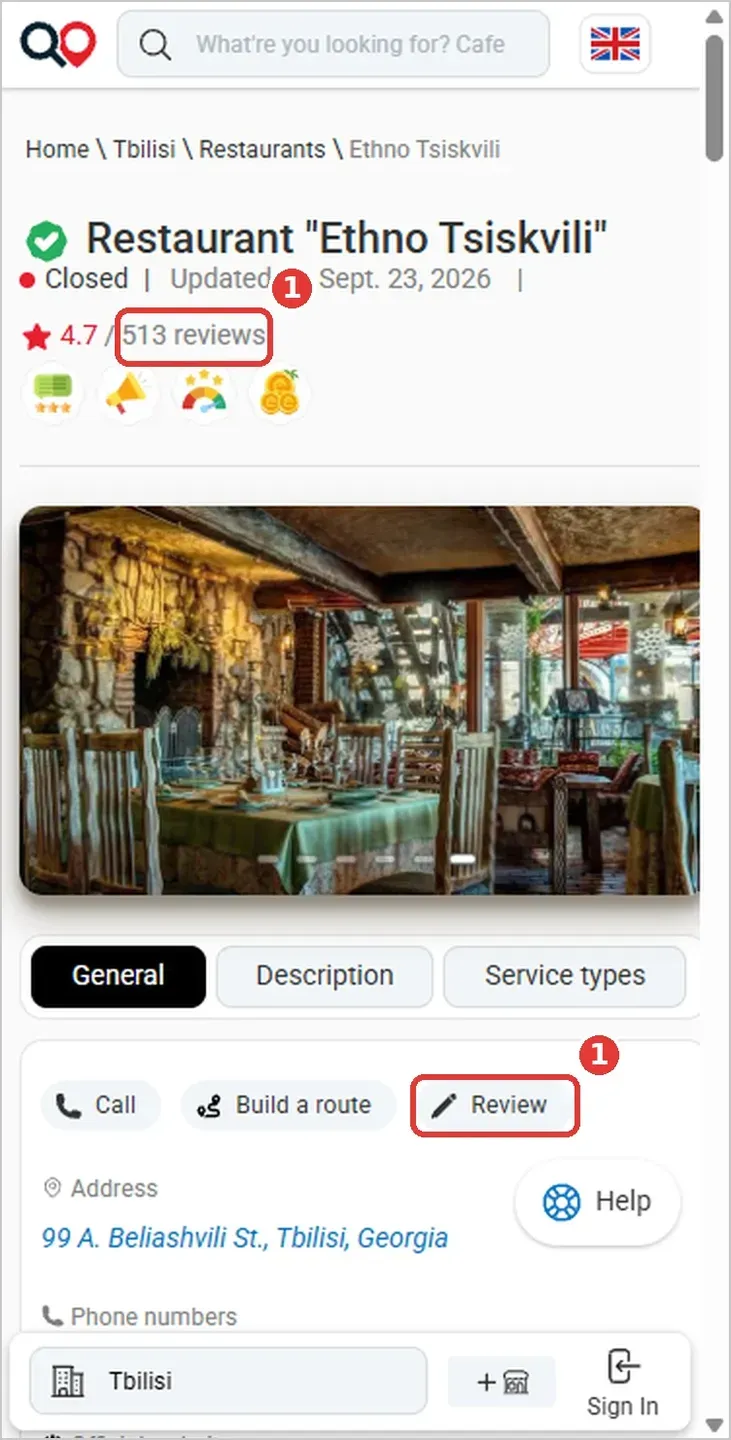
Step 1. Open the place’s page
Find the place with the search or open your city and a category such as Restaurants, Dentistry or Car service. On the page, press the “Review” button or the number of reviews next to the stars: the page scrolls down to the review form.
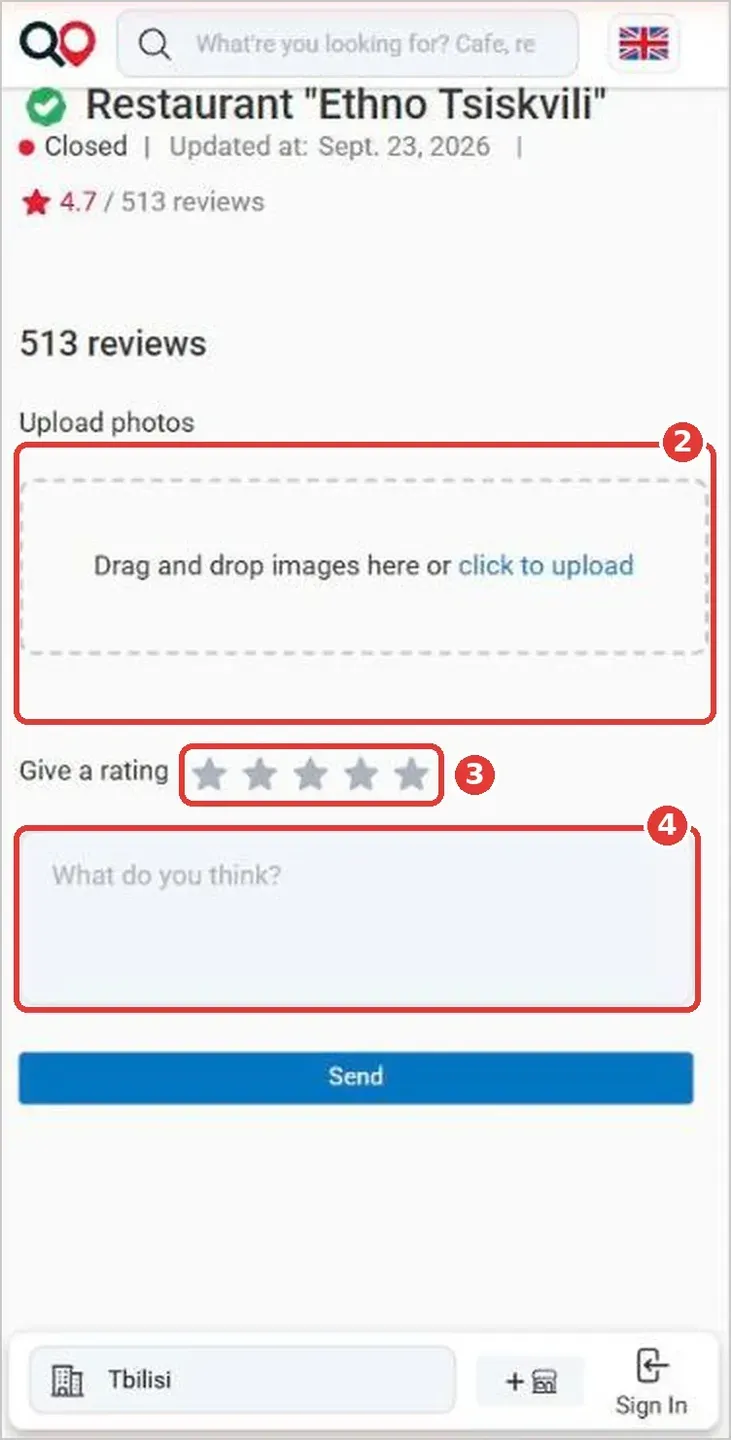
Step 2. Add photos (optional)
Tap the “Drag and drop images here or click to upload” field and choose pictures on your phone. You can attach several JPG photos at once.
Step 3. Give a rating
Next to “Give a rating”, tap a star: from 1 (poor) to 5 (excellent).
Step 4. Write your review
In the “What do you think?” field write what you liked and what you didn’t, up to 1,000 characters.
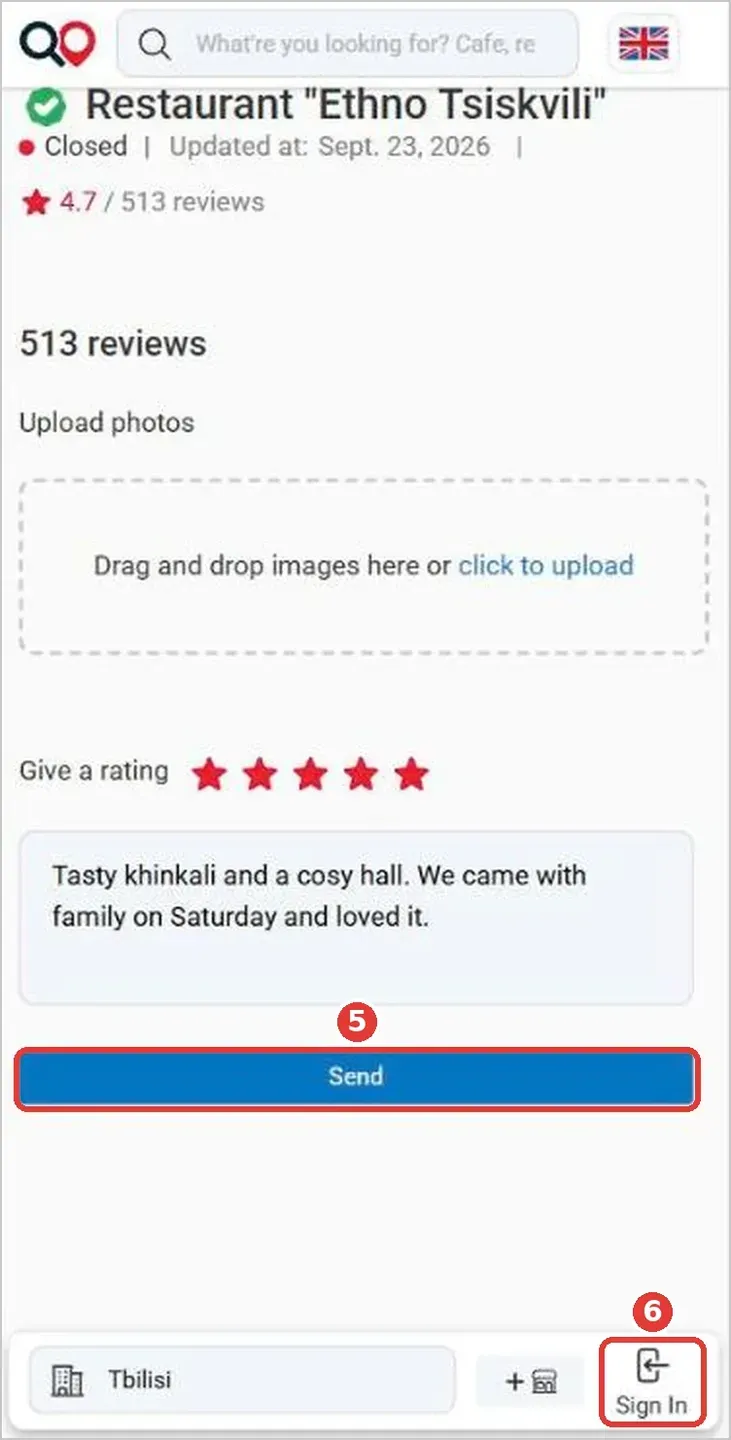
Step 5. Press “Send”
Check the stars and the text and press the blue “Send” button.
Step 6. Sign in if the site asks
If the site asks you to sign in, press “Sign In”: on a phone it is at the bottom of the screen, on a computer at the top of the page. You sign in with a Google account. Then go back to the form and press “Send”.
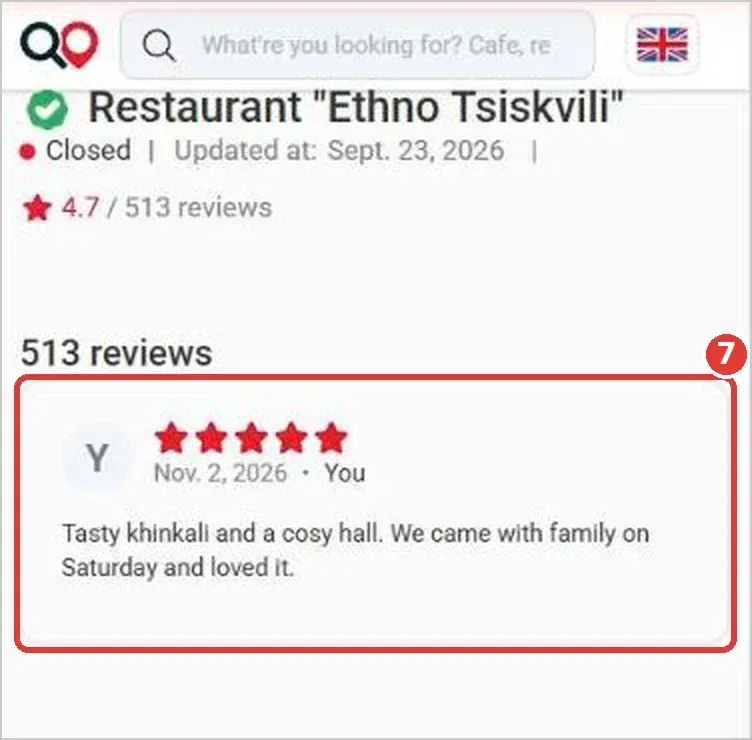
Step 7. Wait for moderation
A moderator reads every review. Once approved, it appears on the place’s page as in the screenshot above: with your name, the date and your rating.
What to write
- when you went and what you ordered or did;
- what you liked and what you didn’t;
- prices, waiting time, how the staff treated you, how clean it was: anything the next visitor will find useful.