




Yandex.Maps Updates – New Opportunities for Local Business
We analyze how Yandex.Maps updates will help businesses: personalized results, indoor navigation, new algorithms, and the Yandex.Business interface. Find out how to improve your company's visibility, increase the number of clients, and effectively use new map tools.

📍 Why do local businesses need Yandex.Maps updates?
Today, local businesses face tough competition, and it is becoming increasingly difficult to stand out among many companies. Yandex.Maps is not just a route planning service, but one of the most powerful digital marketing tools. In 2025, Yandex introduced large-scale updates that significantly improved the service, making it even more convenient and efficient for businesses. Now the algorithms take into account not only key queries, but also user behavior, and the new interface makes card management easier and faster.
These changes help not only to be visible on the map, but also to attract real customers. If your company is represented in the service, it is important to understand how the new algorithms work, what functions can be used and how to manage the business card to achieve maximum effect. Now you have more opportunities for promotion, and the correct use of updated tools will increase coverage, increase customer loyalty and strengthen positions among competitors.
In this article, we will analyze the key updates to Yandex.Maps that will help you increase your reach, improve customer loyalty, and strengthen your position among competitors. Don't miss the chance to use these changes to your advantage!

🔹 Major updates on Yandex.Maps
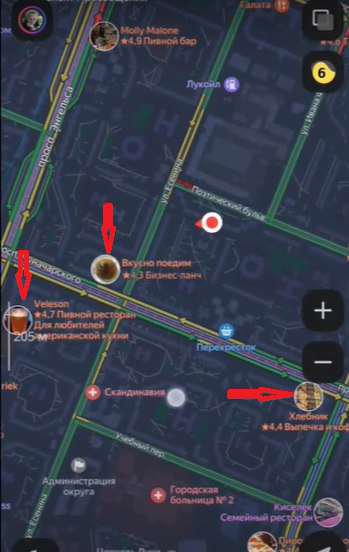
📌 Issuance by interests: business at the right time and in the right place
Now your business card can appear not only in response to direct requests, but also thanks to user behavior analysis.
💡 This feature is only available in the mobile version of Yandex.Maps, and is not yet implemented on the desktop.
Yandex tracks:
✔️ What places the user visits;
✔️ What business categories are of interest to him;
✔️ Who he interacts with and what establishments his friends visit;
✔️ What routes he builds in the application.
Based on this data, the system recommends new establishments that may be of interest to the client. This means that your business becomes visible to the relevant audience even without a direct search. For example, if a person often visits coffee shops in the city center, they will be offered similar establishments nearby.
🔹 How to prepare a card for participation in the distribution based on interests?
- Fill in all possible data in the card (address, working hours, contacts, services);
- Encourage customers to leave reviews and rate you – this increases visibility;
- Add photos and news about new products, discounts, changes in work;
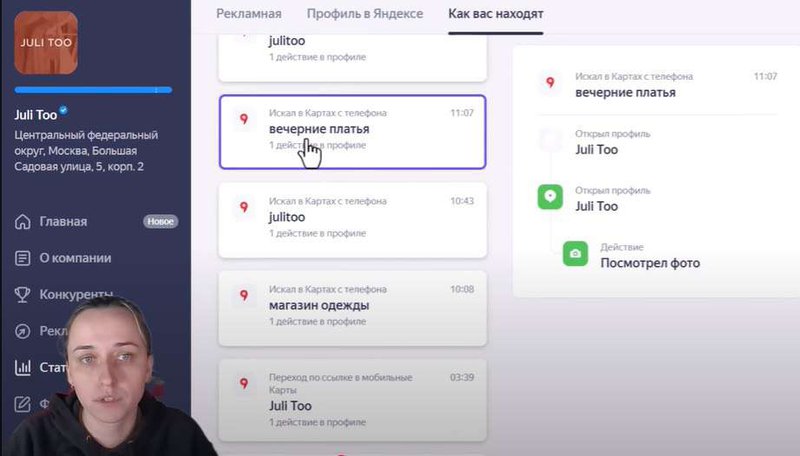
- Regularly check the statistics in the “How people find you” section to understand which customers find you through this function.
📌 Updated Yandex.Business interface
Yandex has significantly updated the Yandex.Business personal account, making it more convenient and understandable. Now the main functions are located on the main page, which allows you to manage content faster.
✔️ Adding photos and videos has become more intuitive and now takes less time;
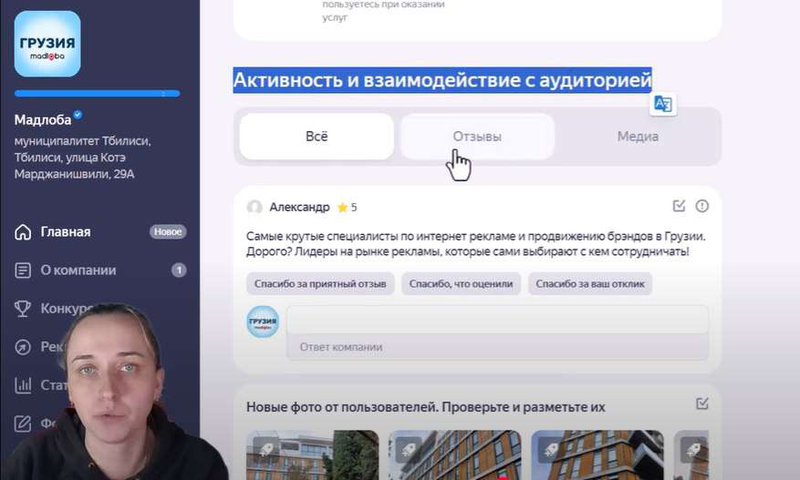
✔️ Working with reviews has become easier - you see all the comments in one place and can instantly respond to them;
✔️ Traffic analytics allows you to see how users find your company, what queries bring in customers and what actions they perform in the business card.
🔹 How to use the updated interface?
Check your statistics regularly to understand your traffic sources;
Make sure photos are uploaded correctly and information is updated;
Use visual content – the brighter and more detailed the card is designed, the more trust customers have;
Respond to reviews promptly - this improves customer perception of the brand;
Check the Feedback tab to make sure all responses are saved correctly.
Stay tuned for new interface features – now you can quickly manage content directly from the main screen.
🚀 Want to learn more about how to promote your business on maps? Sign up for our course "Local Marketing and SEO: promotion on maps".
📌 What you will get on the course:
- Step-by-step guide to optimizing organization cards
- Strategies for attracting clients through Yandex and Google Maps
- Analysis of successful cases and current algorithms
- Access to a closed community and practical tasks
And if you still have questions or need individual advice on promoting a business in Georgia, we are ready to help! Our specialists develop promotion strategies, set up advertising and help increase the visibility of a business on maps.
📌 Leave a request for a consultation right now and get personal recommendations for developing your business!
📌 Improved navigation through buildings and complexes
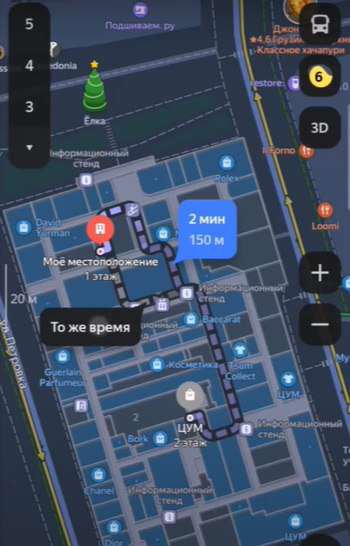
Yandex.Maps now allows you to build routes inside buildings, such as shopping malls, business centers, train stations, and airports. This is especially useful for businesses located in difficult-to-navigate places where customers may have trouble finding their way around without clear signs.
🔹 How does it work?
The user enters the name of the organization and, if it is located in a building with internal navigation support, sees the route inside the building.
The system offers several route options, taking into account the location of entrances, escalators and elevators.
The route is displayed as step-by-step instructions, which allows you to quickly get to the desired place without unnecessary questions.
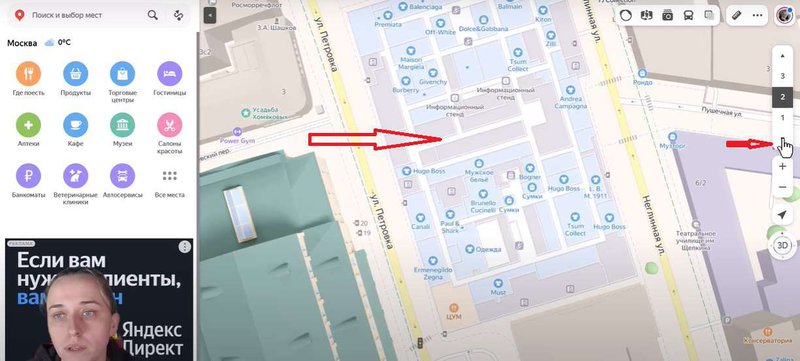
💡 This feature is currently only available in the mobile version of the app. On the desktop, users can only view the floors of buildings, but not build routes inside them.
🔹 How to improve navigation to your business?
✔️ Check that your business is correctly linked to the building in Yandex.Maps - to do this, make sure the address is accurate and matches the location on the plan.
✔️ Upload photos of the entrance and facade - this will make it easier for users to navigate the place.
✔️ Add a detailed description of the location inside the building - for example, "3rd floor, next to store X".
✔️ Contact Yandex technical support if the system does not build routes inside your building - it may not yet be in the database of supported objects.
📌 Example: If you have a restaurant in a shopping center and a customer is looking for a place to have dinner, they will be able to quickly see the route from the entrance to your establishment, bypassing unnecessary floors and corridors.
Now users can plot a route right inside the building - from the entrance to the desired store or office. This makes it much easier to find the right establishment, which means potential customers are more likely to get to you.
📌 A selection of similar places
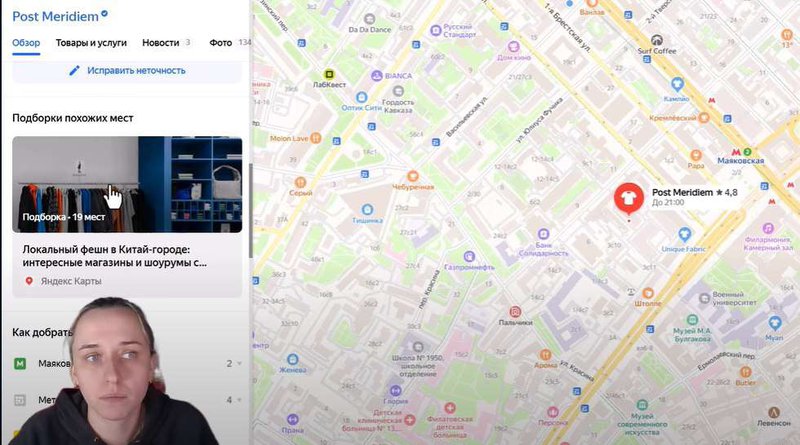
Another important update is a selection of similar places in the desktop version of Yandex.Maps. Now users can find similar organizations within a radius of about a kilometer from the initial request. If a user is looking for, for example, a clothing store, the service will show him up to 19 similar establishments.
🔹 How to use this feature for business?
✔️ Monitor the category and tags of the card - they affect the selection of similar places;
✔️ Update content and reviews to be among the recommended companies;
✔️ Analyze competitors - who else is included in this selection, and how do they attract customers.
📌 Algorithms and content quality
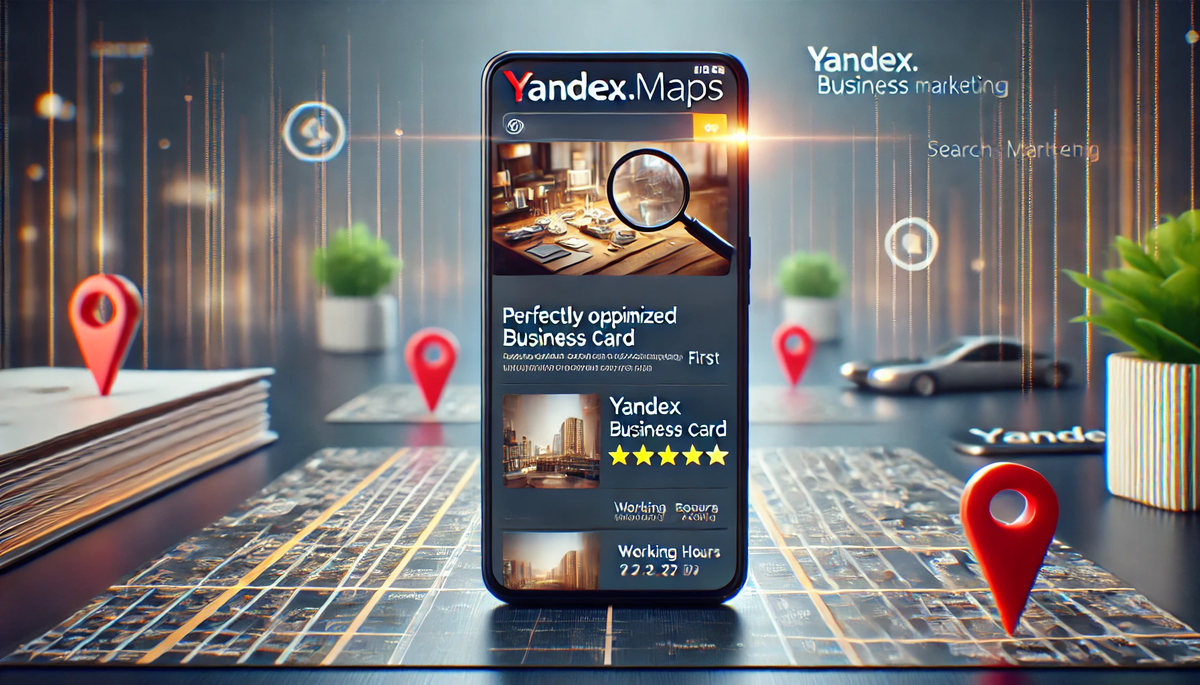
Yandex continues to improve its algorithms, and now quality content plays a key role in promoting cards.
To ensure your business remains visible, it is important to consider several key factors:
✔️ Duration of interaction with the card - the longer the user studies your page, the higher the chance of its promotion in the search results;
✔️ Number of clicks, photos and reviews - cards with active users receive priority;
✔️ Frequency of updates - the more often new photos, products or promotions are published, the higher the chances of getting into the personalized search results;
✔️ Dynamics of responses to reviews - businesses that actively interact with customers receive more trust and are ranked higher.
📌 Example: if a clothing store regularly adds new collections, publishes photos of products and receives fresh reviews from customers, its card will appear higher in the search results.
🔹 How to improve your business card?
Post up-to-date photos of the interior, products, menu and other important details;
Regularly add posts with news, promotions and offers;
Encourage customers to leave reviews, and then promptly respond to them;
Monitor the analytics of the card - analyze which updates attract the most users and adjust the strategy.
📌 Example: if a restaurant publishes seasonal menus, uploads photos of dishes and receives active reviews, its card will appear more often in recommendations.
🚀 Yandex.Maps has become even smarter and more convenient. These updates will help users find establishments faster, and businesses will attract new customers.
- Personalized recommendations will help your business appear in front of the right audience.
- The updated Yandex.Business interface will make card management more convenient.
- New navigation features will help customers find you faster.
- High-quality content is now more important - card updates increase its visibility.
Local Business in the TOP: Secrets of Successful Promotion
-
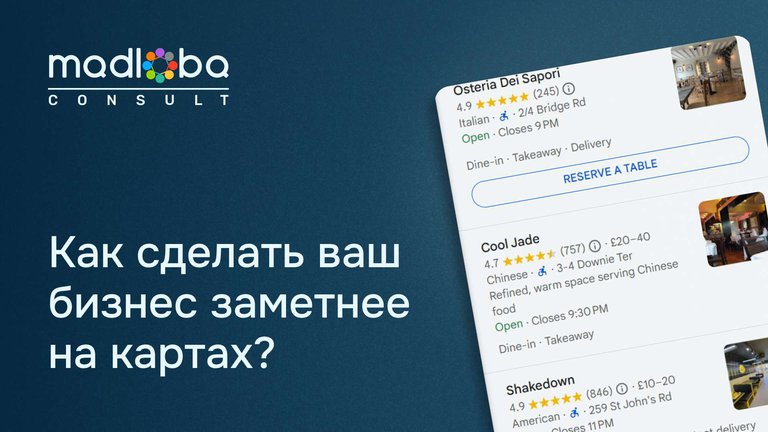
How to improve visibility on Yandex Maps and Google: effective optimization for your business
Local business promotionFind out how to properly optimize your card on Yandex Maps and Google to attract more cus…
-
How to promote on maps for free? 2 key steps to success 🚀
Local business promotionFind out how to improve your visibility on Yandex.Maps and Google Maps for free! Two key …
-

25 Customer Touchpoints: How to Improve Feedback and Increase Sales
Local business promotion25 key moments when a customer interacts with you. Learn how to handle each touchpoint co…
-
📍 How quickly do customers visit a business after finding it on maps?
Local business promotionFind out how quickly customers come to a company after searching on maps and how local SE…


 Frequently asked questions
❓ How to check if a business card is included in personalized issuance?
Go to the "How You Are Found" section in Yandex.Business. There you will see which queries bring in customers.
❓ Why is my business card not showing up in search results?
Check if all the data is filled in, if high-quality photos are added and if there is customer activity (views, reviews, clicks).
❓ Is it possible to delete negative reviews?
Yes, if they violate Yandex rules (spam, insults, false information). File a complaint through your personal account.
❓ How can businesses get into indoor navigation?
If your business is located in a shopping mall, office center or other large building, make sure it is linked to the exact address in Yandex.Maps.
❓ How to increase the visibility of a card in Yandex.Maps?
Update content, add photos, work with reviews and monitor analytics.


22 comments
Log in to leave a comment